LifeTogether Codes & Guide (November 2026)
Transform your avatar's street style instantly with 10 active LifeTogether outfit codes featuring casual, goth, teen baddie, and luxury presets.
What Is LifeTogether & What Do Codes Unlock?
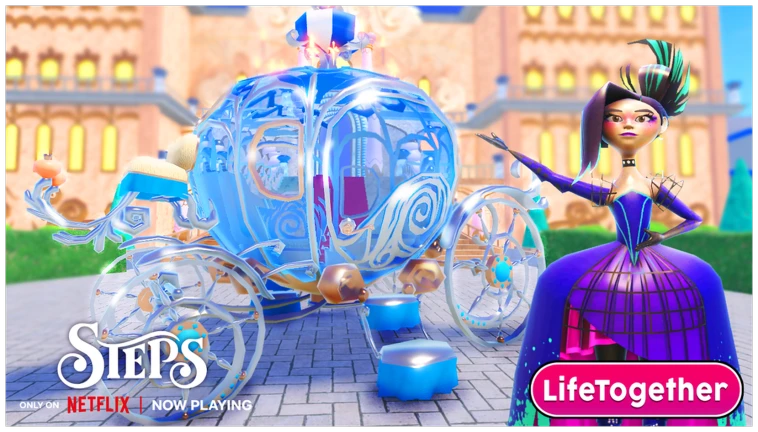
LifeTogether is a vibrant Roblox town-roleplay sandbox built around neighborhood storytelling, house customization, hanging out with friends, and expressive avatar fashion. Rather than chasing combat stats, players curate iconic outfits to fit every social scene—from cozy cafe meetups to mansion house parties.
Ten active outfit codes remain live right now with zero expired entries, letting you snap straight into pre-styled looks including Red Cute Girl, Emo/Goth Boy, Teen Baddie editions, Hood Rich variations, Rich Casual, and sleek Red and Black ensembles without hunting down individual catalog asset IDs.
Equip new code cosmetics early and favorite your go-to combinations in the wardrobe or locker for fast switching.
Where to Go & How to Redeem LifeTogether Codes
Load into the LifeTogether neighborhood and check the avatar and menu buttons along the right-side HUD.
Open the Avatar / Outfit customization menu—or use the Settings / Main Menu / Bird trigger on the right HUD—to open the outfit code entry field.
Minimum Level 1 after passing the quick welcome prompt.
Entering a valid outfit code immediately equips the complete preset onto your in-game roleplay avatar so you can save it to your custom wardrobe slots.
Step-by-Step Redemption Route
- 1Launch LifeTogether on Roblox and spawn into the town hub.
- 2Tap the right-side HUD customization or Main Menu / Settings icon to open the code entry bar.
- 3Paste one of the 7-character outfit codes verbatim, keeping exact zeros and uppercase letters.
- 4Confirm to dress your avatar immediately, then save the look into a personal wardrobe slot if you want quick swaps later.
Code Not Working? Quick 4-Point Fix
- ✓Check exact letter casing: promo code boxes are usually case-sensitive, so use our Copy button directly.
- ✓Remove extra trailing spaces when pasting on mobile keyboards or web redemption portals.
- ✓Restart the game client or join a fresh server if a brand-new patch code fails right after release.
- ✓Confirm tutorial completion, minimum rank requirements, or check your in-game Mailbox if rewards don't appear instantly.
All Working LifeTogether Codes
BU4FC9EOutfit / Skinthe pink brat outfit
1q2345aOutfit / Skinthe female white and pink outfit
DG8EA9KOutfit / Skinthe female red and black outfit
MR9VL8XOutfit / Skinthe rich casual outfit
L1JO0UIOutfit / Skinthe hood rich outfit 2
Y5KV1TBOutfit / Skinthe hood rich outfit
VD8QT6AOutfit / Skinthe teen baddie outfit 2
EC1NH9AOutfit / Skinthe teen baddie outfit
9L6I3LIOutfit / Skinthe emo/goth boy outfit
3SH0AM0Outfit / Skinthe Red Cute Girl Outfit
Using Preset Outfit Codes as Foundations for Custom Roleplay Looks
Preset outfit codes in LifeTogether are not rigid costumes—they are fast springboards for your own personal style. Loading a preset like Rich Casual, Emo/Goth Boy, or Teen Baddie instantly aligns matching tops, bottoms, hair, and accessories in one click, saving twenty minutes of scrolling through hundreds of individual catalog pages.
Once an outfit loads onto your avatar, tweak individual layers to make the look unmistakably yours. Swap hair colors, add seasonal glasses or backpacks, or blend pieces from two different outfit styles before saving the finished ensemble into your favorites drawer for instant roleplay scene changes.
- Save each loaded preset into an empty avatar slot right away so you never have to retype codes during a roleplay session.
- Mix hair and face accessories onto Hood Rich or Red and Black presets to stand out in crowded plazas.
- Switch between contrasting outfits—like casual daytime wear and evening party looks—to elevate neighborhood storytelling.
Matching Avatar Presets to Houses, Jobs, and Social Scenarios
Because LifeTogether centers on collaborative town roleplay—jobs, family stories, school days, and upscale neighborhood hangouts—having three or four distinct outfits saved on speed-dial makes every session feel fresher. Jump into Rich Casual when hosting at a luxury estate, flip to Emo/Goth Boy for late-night skatepark scenes, or pick Red Cute Girl for weekend shopping runs.
Note that outfit codes differ from traditional currency promo codes: they do not expire on tight patch timers the way currency giveaways do, and they can be reused whenever you want to refresh a wardrobe slot or share a matching aesthetic with friends.
- Coordinate matching color palettes—like red and black presets—with friends for group photos and town events.
- Keep both everyday casual and dramatic statement outfits saved for quick scene transitions.
- Pair avatar styling with matching home decor and vehicle colors for cohesive roleplay storytelling.
Pro Tips to Maximize LifeTogether Rewards
Copy 7-Character Outfit IDs Directly
Strings like 3SH0AM0 and L1JO0UI mix digit 0 with capital O and digit 1 with I—pasting eliminates frustrating outfit-not-found errors.
Bookmark Favorites Inside Your Wardrobe
After loading an outfit code, save it to an in-game preset slot so you can swap looks in one tap during live roleplay.
Customize Hair and Accessories Afterward
Apply a preset first to nail the core outfit silhouette, then swap hairstyles or hats to give your character a unique signature.
How to Get More Free Rewards in LifeTogether
Waiting for the next developer code drop? Here are the best legitimate ways to earn extra rewards in-game every week:
Built-In Avatar Catalog Editor
Browse LifeTogether's free in-game clothing, hair, face, and accessory catalog to assemble unlimited original outfits.
Community Outfit ID Sharing
Players regularly share custom 7-character outfit codes inside social hubs and creator showcases for trending themes.
Town Roleplay Jobs and Events
Exploring neighborhood venues, seasonal town decorations, and community roleplay events unlocks fun props and themes without spending Robux.
LifeTogether Codes FAQ
Do LifeTogether codes give currency or outfits?▾
The 10 active LifeTogether codes are complete preset outfit codes that instantly dress your avatar in curated themes like Rich Casual, Goth Boy, and Teen Baddie.
Why did my LifeTogether outfit code not load?▾
Double-check tricky characters—especially 0 versus O and 1 versus I—and remove any spaces before or after the 7-character string.
Can I edit an outfit after applying its code?▾
Yes—once the outfit applies, you can freely swap individual hairs, faces, or accessories and save the customized look to your wardrobe.
Where do I enter outfit codes in LifeTogether?▾
Open the right-side HUD customization or Main Menu / Settings drawer to reach the code input field.