AFK for UGC Codes & Guide (November 2026)
Stack bonus Points toward limited Roblox avatar accessories with 18 active AFK for UGC codes and smarter idle-lobby optimization.
What Is AFK for UGC & What Do Codes Unlock?
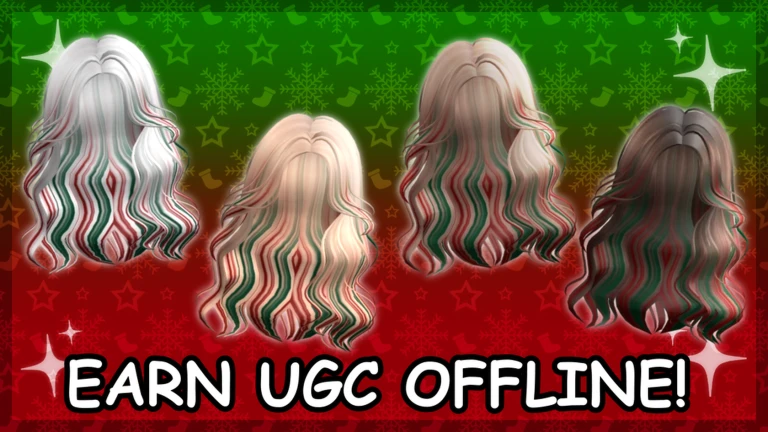
AFK for UGC strips Roblox progression down to a relaxed social lounge with one crystal-clear goal: rack up enough Points to claim limited-stock User Generated Content accessories for your avatar. Rather than frantic combat, success revolves around maximizing passive point ticks, watching limited stock timers, and jumping on bonus drops before coveted cosmetics sell out.
All 18 tracked codes are currently active, each injecting extra Points straight into your balance. Combining these quick redemptions with smart session habits trims hours off the climb toward your next wearable hat, aura, or back accessory.
Redeem limited-time bonus codes promptly before the next content patch retires them.
Where to Go & How to Redeem AFK for UGC Codes
Join an AFK for UGC server and check the stacked buttons along the right-side HUD edge.
Tap the Gift Box, Bird, or Settings gear button to open the promo code entry window.
Minimum Level 1 after dismissing the quick introductory lobby prompt.
Redeemed Points tally directly onto your live Points balance displayed on the main HUD.
Step-by-Step Redemption Route
- 1Load into AFK for UGC on Roblox and move past the opening welcome screen.
- 2Locate the right-side HUD icons and click the Gift Box, Bird, or Settings code button.
- 3Paste an active code exactly as written—keeping intentional developer spellings intact.
- 4Confirm to deposit bonus Points straight toward your next UGC unlock.
Code Not Working? Quick 4-Point Fix
- ✓Check exact letter casing: promo code boxes are usually case-sensitive, so use our Copy button directly.
- ✓Remove extra trailing spaces when pasting on mobile keyboards or web redemption portals.
- ✓Restart the game client or join a fresh server if a brand-new patch code fails right after release.
- ✓Confirm tutorial completion, minimum rank requirements, or check your in-game Mailbox if rewards don't appear instantly.
All Working AFK for UGC Codes
JUANNEWItem / BonusPoints
HALLOWENNEWItem / BonusPoints
ARTNEWItem / BonusPoints
100KItem / BonusFree in-game rewards
minigamesItem / BonusFree in-game rewards
VDAYPLAY12Item / Bonus10,000 Points
150KItem / BonusPoints
100KYAYItem / BonusPoints
15KLIKES150KMEMBERSTHANKSItem / BonusPoints
ALMOST300KTHANKYOUItem / BonusPoints
ROAD2550KMEMBERSItem / BonusPoints
ROAD21MILMEMBERS!Item / BonusPoints
MERRYCHRISTMASANDAHAPPYNEWYEARItem / BonusPoints
WEAREBACKItem / BonusPoints
YEAR2026Item / BonusPoints
SKIBIDIItem / BonusPoints
LOLItem / BonusPoints
FREEZEItem / BonusPoints
Stretching Code Points to Catch Limited-Stock Avatar Drops
Limited Roblox UGC items carry fixed copy counts, which means timing matters just as much as total Points earned. Spending your Points on the first common cosmetic you can afford often leaves you empty-handed when a rare seasonal or meme-themed drop hits the catalog with only a few hundred copies available.
Cash in all 18 active codes early so you immediately know your baseline bankroll, then inspect the in-game UGC shop stock meters before buying. Holding a healthy Point buffer lets you claim high-demand limiteds the instant they unlock rather than watching the counter hit zero while you are 500 Points short.
- Check remaining copy counts in the UGC catalog before spending Points on evergreen items.
- Redeem every active code in one sweep to jumpstart your Point reserve for upcoming releases.
- Keep an eye on seasonal and year-themed codes, as celebratory drops often align with fresh UGC stock.
Maximizing Passive Point Rates Between Code Releases
While codes give welcome lump sums, sustained idle mechanics carry the bulk of your Point earnings in AFK for UGC. Most UGC hubs reward continuous server presence with multiplier zones, streak timers, or interactive mini-events that briefly spike your per-second Point income.
Make sure your Roblox client stays active within platform idle limits—standard sessions disconnect after twenty minutes of zero input—by interacting legitimately with lobby activities, chatting with friends, or checking timers periodically. Pairing friend-boost lobbies or group perks with regular check-ins dramatically outpaces solo idling.
- Join populated or friend-boosted servers if the hub grants social Point multipliers.
- Check in before Roblox's 20-minute inactivity timeout kicks you and resets lobby streak multipliers.
- Grab in-lobby spin wheels or timed bonus bubbles whenever you return to your keyboard.
Pro Tips to Maximize AFK for UGC Rewards
Do Not Autocorrect Quirky Code Words
Codes like HALLOWEN use intentional typos—paste them character-for-character instead of fixing spelling manually.
Target Freshly Stocked Limiteds
Save your code Points for newly launched UGC accessories with healthy copy counts rather than chasing items down to single-digit stock.
Protect Lobby Time Multipliers
Interact briefly before Roblox's idle disconnect kicks in so you preserve continuous session multipliers.
How to Get More Free Rewards in AFK for UGC
Waiting for the next developer code drop? Here are the best legitimate ways to earn extra rewards in-game every week:
Continuous Lobby Time and Streak Bonuses
Staying active inside the hub stacks passive Points every second, often accelerating the longer your uninterrupted streak runs.
Timed Spin Wheels and Pop-Up Bubbles
Clicking periodic bonus orbs and free spin timers around the lounge delivers quick Point bursts on top of baseline idling.
Developer Group and Social Drops
Joining the official Roblox group often unlocks passive Point boosts and alerts you first when new limited UGC codes drop.
AFK for UGC Codes FAQ
Are all 18 AFK for UGC codes still working?▾
Yes—all 18 tracked codes are currently active and award bonus Points toward in-game UGC redemptions.
Do redeemed UGC items appear in my regular Roblox avatar inventory?▾
Once you spend enough Points on an in-stock limited UGC item and complete the free Roblox prompt, the accessory saves directly to your account wardrobe.
Where is the code input button in AFK for UGC?▾
Look along the right-side HUD for the Gift Box, Bird, or Settings icon to open the code entry panel.
Why did my code say invalid?▾
Check exact uppercase letters and quirky spellings—especially short word codes—and verify you have not already claimed it.