AeroStride Simulator Codes & Guide (November 2026)
Take flight faster with 4 active AeroStride Simulator codes unlocking Spins, Boosts, and milestone freebies to accelerate aerial speed progression.
What Is AeroStride Simulator & What Do Codes Unlock?
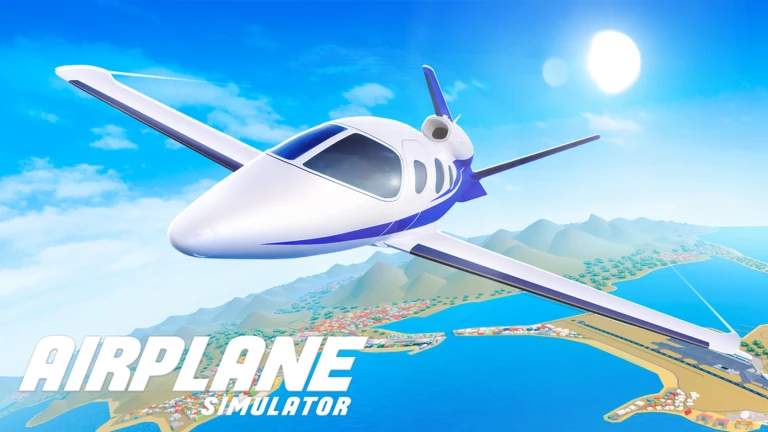
AeroStride Simulator elevates classic Roblox speed-running into open-sky aerial dashing, letting players build momentum, upgrade wing or flight power, and soar past sweeping airborne tracks to reach lofty zones. Breaking past early gravity drag relies on stacking multiplier spins and speed boosts efficiently.
All 4 tracked codes are currently active with zero retired entries—spanning FLYING plus the 2K, 5K, and 10K Like milestone drops—delivering Spins, Boosts, and progression freebies that immediately lift your early stride power off the runway.
Redeem limited-time bonus codes promptly before the next content patch retires them.
Activate boost codes right before a focused grinding session—most timers count down in real time.
Stack free spins before rolling on featured banners or high-rarity bloodlines to maximize pity progress.
Where to Go & How to Redeem AeroStride Simulator Codes
Spawn on the AeroStride Simulator starting runway and check the buttons lined along the right-side HUD.
Select the Gift Box, Bird, or Settings gear icon on the right menu bar to pull open the code input window.
Minimum Level 1 after completing the short opening stride-and-glide tutorial.
Claimed Spins populate your spin/gacha wheel immediately, while Boosts and milestone freebies credit directly to your active bar or backpack.
Step-by-Step Redemption Route
- 1Launch AeroStride Simulator on Roblox and clear the brief opening tutorial glide.
- 2Tap the Gift Box, Bird, or Settings icon anchored along the right-side HUD.
- 3Enter LIKE2000, LIKE5000, LIKE10K, and FLYING one by one in ALL CAPS.
- 4Confirm each submission to collect your Spins, Boosts, and milestone freebies.
Code Not Working? Quick 4-Point Fix
- ✓Check exact letter casing: promo code boxes are usually case-sensitive, so use our Copy button directly.
- ✓Remove extra trailing spaces when pasting on mobile keyboards or web redemption portals.
- ✓Restart the game client or join a fresh server if a brand-new patch code fails right after release.
- ✓Confirm tutorial completion, minimum rank requirements, or check your in-game Mailbox if rewards don't appear instantly.
All Working AeroStride Simulator Codes
LIKE5000NEWItem / Bonusfreebies
LIKE10KItem / BonusFree in-game rewards
FLYINGItem / BonusSpins and Boosts
LIKE2000Item / Bonusfreebies
Using Early Spins and Boosts to Clear Initial Speed Gates
In aerial speed simulators, the difference between awkwardly hopping across low platforms and soaring cleanly over distant sky rings comes down to your early multiplier curve. Claiming FLYING alongside the three Like milestone codes right after the tutorial gives you free Spins and Boosts when each percentage jump feels largest.
Spin first before popping any timed speed or currency Boosts. Landing an upgraded pet, trail, or flight multiplier from your Spins ensures every single second of your active Boost multiplies a much bigger base stat—carrying you across sky gates in half the usual time.
- Redeem and spend your free Spins ahead of activating timed Boosts so multipliers compound.
- Aim straight for high-density energy orbs and sky rings while Boosts are running.
- Reinvest early profits into permanent flight capacity and stride speed before cosmetic trails.
Chaining Aerial Rings, Rebirths, and Milestone Updates
Once you graduate beyond starter tracks, efficient route planning outshines aimless gliding. Spot clusters of stacked airborne hoops or boosted launch pads that refill momentum quickly, keeping your velocity bar near maximum without dipping down to slow ground runs.
Track your next rebirth cost closely: rebirthing right on threshold steadily raises permanent flight multipliers, while the game's clear like-milestone cadence (2,000, 5,000, 10,000 Likes) signals fresh community code drops every time player enthusiasm hits a new peak.
- Chain airborne launch rings to maintain peak glide speed across zones.
- Rebirth promptly at early thresholds so permanent multipliers build early.
- Check back whenever the Roblox experience page crosses the next major like milestone.
Pro Tips to Maximize AeroStride Simulator Rewards
Use Spins Ahead of Timed Boosts
Equip any multiplier rewards earned from Spins before triggering Boosts so your airborne gains stack higher.
Note 'LIKE10K' vs 'LIKE5000'
The 2,000 and 5,000 codes spell out full digits, whereas the 10,000 milestone switches to LIKE10K—enter each verbatim.
Stay Airborne During Boost Windows
Ground sprinting yields lower payouts than hitting elevated ring chains—stay aloft throughout active Boost timers.
How to Get More Free Rewards in AeroStride Simulator
Waiting for the next developer code drop? Here are the best legitimate ways to earn extra rewards in-game every week:
Sky Course Clears and Rebirths
Finishing progressively higher airborne courses and cycling rebirths steadily elevates base flight multipliers.
Timed Playtime Chests and Daily Spins
Active play unlocks incremental lobby gifts and daily spin wheels stocked with extra boosts and companions.
Like-Goal Celebrations
AeroStride Simulator consistently marks major Roblox like counts with new spin and freebie promo codes.
AeroStride Simulator Codes FAQ
What rewards do active AeroStride Simulator codes provide?▾
All 4 active codes deliver Spins, Boosts, and progression freebies celebrating launch flight and 2K, 5K, and 10K like milestones.
Where is the code redemption button in AeroStride Simulator?▾
Look along the right-side HUD for the Gift Box, Bird, or Settings gear icon after finishing the brief intro.
Are any AeroStride Simulator codes expired?▾
No—all 4 tracked strings remain active right now.
Why did LIKE10000 reject when I typed it?▾
The 10,000-like code is shortened to LIKE10K rather than written out with zeros; enter LIKE10K in all caps.